






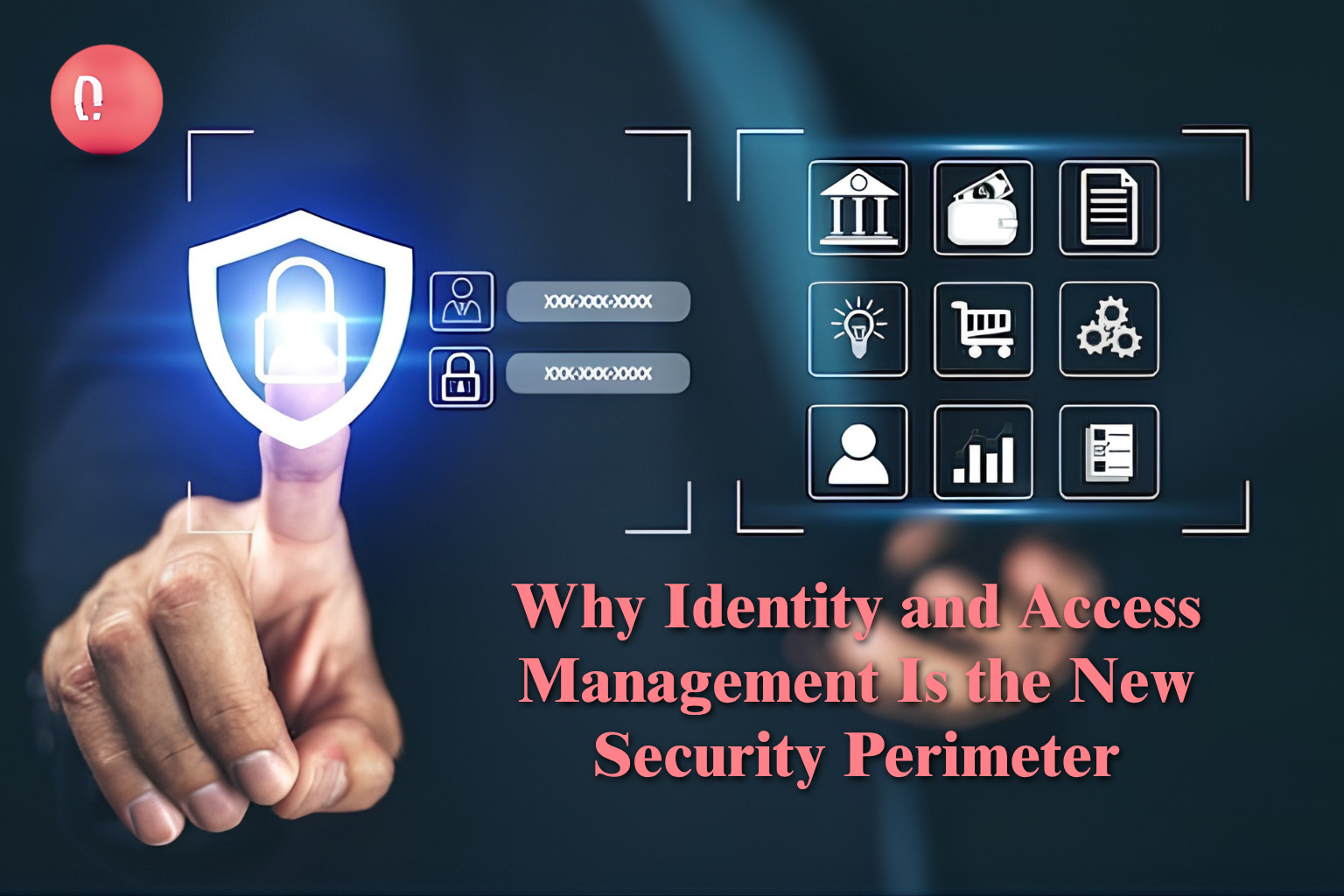
Why Identity and Access Management Is the New Security Perimeter
Business technology is no longer limited to computers inside one office.
Employees work remotely. Contractors use company applications. Customers access online platforms. Business data may be stored across cloud services, mobile devices, software platforms and internal systems.
This flexibility supports growth, but it also creates a serious security challenge: businesses must know exactly who is accessing their systems, what they can access and whether that access is still required.
A firewall alone cannot answer these questions.
This is why identity and access management has become a central part of modern cybersecurity.
Identity and access management, commonly called IAM, helps businesses control digital identities and system permissions. It ensures that the right person receives the right level of access at the right time.
Government cybersecurity guidance also recommends strong identity controls, least-privilege access and proper management of user permissions to reduce identity-related risks.
What Is Identity and Access Management?
Identity and access management is a combination of policies, technologies and processes used to manage digital users.
These users may include:
- Permanent employees
- Temporary employees
- Remote workers
- Contractors
- Suppliers
- Customers
- System administrators
- Applications and automated services
An IAM system verifies the identity of a user before deciding what that user is allowed to do.
For example, a finance employee may need access to payment and reporting systems. However, that person may not require access to development servers or cybersecurity tools.
IAM prevents unnecessary access by connecting permissions to the user’s job responsibilities.
Why Identity Has Become the New Security Perimeter
Traditional cybersecurity was built around a physical office network.
Once someone entered the company network, many systems automatically treated that person or device as trusted. This approach is no longer suitable for cloud platforms, remote work and third-party access.
Users may now connect from different locations and devices. Business applications may also be spread across public clouds, private clouds, SaaS platforms and internal data centres.
As a result, security can no longer depend only on where the user is connecting from. It must depend on who the user is, which device is being used, what resource is being requested and whether the request appears safe.
An identity-focused security model checks every access request instead of automatically trusting users after login.
This approach supports the security capabilities available through DLAN’s cloud services and cybersecurity solutions.
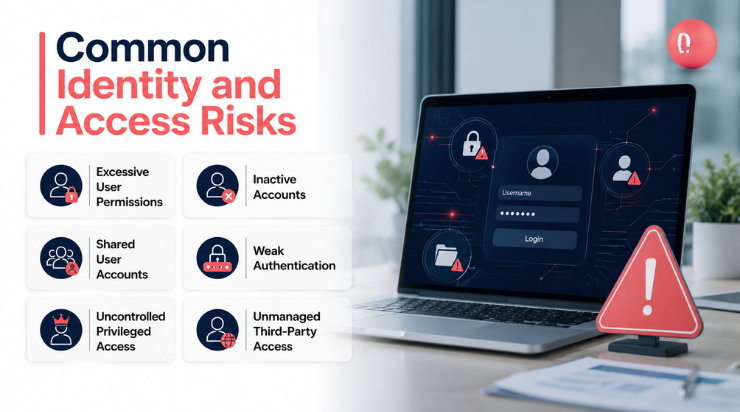
Common Identity and Access Risks
Many access problems develop slowly and remain unnoticed until an incident occurs.
Excessive User Permissions
Employees often receive more access than they need.
This can happen when permissions are copied from another employee or when access is added over time without removing old privileges.
Excessive permissions increase the number of systems that could be affected if an account is compromised.
Inactive Accounts
Accounts belonging to former employees, contractors or suppliers may remain active after the working relationship ends.
These accounts can become easy entry points because no active employee may be monitoring them.
Shared User Accounts
When several employees use the same account, it becomes difficult to identify who performed a particular action.
Shared accounts reduce accountability and make incident investigations more difficult.
Weak Authentication
Passwords alone may not provide enough protection.
Passwords can be guessed, reused, stolen through phishing or exposed through data breaches. Multi-factor authentication adds another verification step before access is granted.
CISA describes MFA as an important way to prevent unauthorised access to business data and applications.
Uncontrolled Privileged Access
Administrators and technical users often have powerful permissions.
A compromised administrator account may allow an attacker to change configurations, access sensitive data or interrupt business services.
Privileged accounts therefore require stronger controls than normal user accounts.
Unmanaged Third-Party Access
Vendors and consultants may require temporary access to business systems.
Without a clear access process, temporary access can remain active for months or even years.
Core Components of a Strong IAM Programme
Identity Lifecycle Management
Identity lifecycle management controls access from the moment a user joins the organisation until the person leaves.
It normally covers three main stages:
- Joiner: Access is created when a person joins.
- Mover: Permissions are updated when the person changes roles.
- Leaver: Access is removed when the person leaves.
Automating this process reduces delays and prevents outdated permissions.
Multi-Factor Authentication
Multi-factor authentication requires users to provide more than one form of verification.
This may include a password, authentication application, security key or biometric verification.
MFA is especially important for:
- Administrator accounts
- Cloud management portals
- Remote access
- Email accounts
- Financial systems
- Sensitive databases
Single Sign-On
Single sign-on allows a user to access approved applications through one secure identity.
It can improve the user experience while helping IT teams manage access from a central platform.
Role-Based Access Control
Role-based access control assigns permissions according to job responsibilities.
Instead of creating separate permissions for every employee, the organisation can build standard access roles for finance, sales, human resources, IT and other departments.
Privileged Access Management
Privileged access management protects high-level accounts.
It may include:
- Secure storage of administrator credentials
- Approval before privileged access is granted
- Temporary administrator access
- Session recording
- Strong authentication
- Alerts for unusual activity
Regular Access Reviews
Access rights should be reviewed regularly.
Managers and system owners should confirm whether each user still requires the permissions assigned to them.
These reviews also support audit preparation and governance, risk and compliance requirements.
Identity Monitoring
IAM should not stop after login.
Businesses should monitor access attempts, permission changes and unusual behaviour. Warning signs may include repeated login failures, access from unusual locations or sudden use of sensitive administrator functions.
DLAN’s managed services include continuous monitoring and threat-management capabilities that can support this requirement.
Business Benefits of Identity and Access Management
Reduced Security Exposure
IAM limits each user to the systems required for their responsibilities.
This reduces the possible damage caused by compromised accounts, human mistakes or unauthorised activity.
Better Compliance Readiness
IAM creates records showing who had access, when access was approved and what actions were performed.
These records can make internal reviews and external audits easier to manage.
Faster Employee Onboarding
New employees can receive approved access more quickly when roles and permission processes are already defined.
Safer Employee Offboarding
Access can be disabled across connected systems when an employee leaves.
This reduces the risk of forgotten accounts.
Improved Cloud Security
Central identity controls help businesses maintain consistent access policies across cloud services and internal systems.
Stronger Third-Party Management
Contractors and suppliers can receive limited, time-based access rather than permanent or unrestricted permissions.
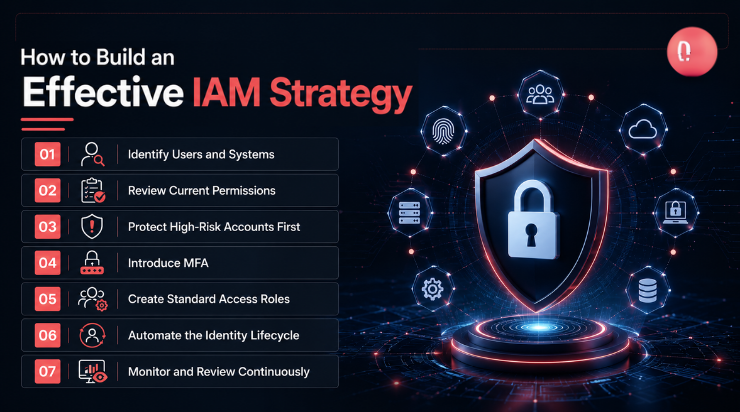
How to Build an Effective IAM Strategy
1. Identify Users and Systems
Create an inventory of employees, contractors, devices, applications, cloud platforms and administrator accounts.
The organisation cannot protect identities that it does not know exist.
2. Review Current Permissions
Compare existing permissions with actual job responsibilities.
Remove duplicated, outdated and unnecessary access.
3. Protect High-Risk Accounts First
Start with administrator accounts, cloud management portals, remote-access systems and critical business applications.
These identities normally create the greatest risk.
4. Introduce MFA
Apply multi-factor authentication to sensitive systems and remote access.
MFA should be mandatory for privileged accounts.
5. Create Standard Access Roles
Build access roles around departments and responsibilities.
Document who approves each role and which permissions are included.
6. Automate the Identity Lifecycle
Connect access management with human resources and IT processes where possible.
This helps ensure access changes when employees join, move or leave.
7. Monitor and Review Continuously
IAM is not a one-time implementation.
Permissions, applications, employees and risks continue to change. Businesses should review access and monitor identity activity regularly.
A professional IT consultancy can help businesses assess their current identity environment and develop a practical improvement roadmap.
How DLAN Supports Identity Security
DLAN helps organisations design identity security around their actual business environment.
The approach may include:
- Identity and access assessments
- Multi-factor authentication planning
- Privileged access management
- Role and permission design
- Cloud identity integration
- Zero Trust architecture
- Security monitoring
- Compliance alignment
- Access-review processes
- Identity governance
DLAN also integrates identity protection with data-centre consultancy, cloud security, managed security and wider digital-transformation strategies.
This creates a connected security model instead of treating identity as a separate technical tool.
Frequently Asked Questions
What is the main purpose of identity and access management?
The main purpose of IAM is to ensure that only authorised users can access business systems and that each user receives only the permissions required for their role.
Is IAM only necessary for large organisations?
No. Small and growing businesses also use cloud applications, remote workers and third-party providers. These environments require proper access control regardless of company size.
What is the difference between IAM and MFA?
IAM is the wider process of managing user identities and permissions. MFA is one security control within IAM that requires more than one form of identity verification.
How often should user access be reviewed?
High-risk and privileged access should be reviewed frequently. Other permissions may be reviewed monthly, quarterly or according to the organisation’s risk and compliance requirements.
Can IAM support compliance?
Yes. IAM helps organisations document access approvals, enforce security policies, control privileged accounts and produce access records for audits.
Conclusion: Make Identity the Centre of Business Security
Every employee, contractor, device and application represents a possible path into business systems.
Strong identity and access management helps organisations control those paths without preventing employees from doing their jobs.
It improves security, simplifies access, supports cloud adoption and strengthens compliance readiness.
DLAN helps businesses assess existing access risks and build secure identity systems around their people, technology and operational requirements.
Contact DLAN to discuss an identity and access management strategy that protects your critical systems while supporting secure business growth.