








Custom software can be a game-changer—until it becomes fragile, slow, and expensive to maintain. Scaling isn’t just about “handling more users.” It’s about building software that stays reliable as your business grows, your needs evolve, and your expectations rise. That’s why DLAN software development focuses on scalable architecture, secure engineering, and delivery practices that keep software performant—not just on launch day, but long after. Let’s walk through what “software that scales” really means—and how DLAN helps you build it. Scaling Starts Before Code A lot of software problems are born in the planning phase: DLAN software development starts with alignment: This prevents a common trap: building fast now and paying for it forever. 1) Custom Applications Built Around Real Business Workflows Off-the-shelf tools can’t always match how your organization actually operates. DLAN software development supports custom solutions like: The advantage of custom software isn’t “custom code.” It’s custom fit—software designed for your processes, your policies, and your growth plan. 2) Enterprise Systems That Don’t Collapse Under Complexity Enterprise environments bring complexity: DLAN helps build enterprise-grade systems by focusing on: The result is software that can expand without becoming chaotic. 3) Secure Development That Protects Growth Security isn’t something you sprinkle on at the end. Security is how you avoid being forced into emergency rebuilds later. DLAN software development emphasizes secure engineering practices such as: Security-first software isn’t just safer—it’s more trustworthy and more resilient. 4) Performance Engineering: Speed Is a Feature Users don’t say, “I love this app because it’s secure.”They say, “I love this app because it’s fast, reliable, and easy.” DLAN builds performance into the development process by focusing on: Performance work early prevents painful rework later. 5) Product Delivery Best Practices That Keep Projects on Track Even great engineering fails when delivery is messy. DLAN software development uses delivery practices designed to reduce risk: This creates momentum and predictability—two things software teams desperately need. 6) Maintainability: The True Cost of Software The biggest cost of software isn’t building it. It’s maintaining it. DLAN builds for maintainability by focusing on: Scalable software is software you can confidently evolve. What You Get with DLAN Software Development When you choose DLAN software development, the goal isn’t “a project completed.” The goal is: That’s what lets software become a long-term asset. FAQ: DLAN Software Development What does DLAN software development include? DLAN software development includes custom application development, enterprise system development, secure engineering practices, performance optimization, and product delivery best practices. How does DLAN build software that scales? By designing architecture for growth, engineering for performance and security, and delivering iteratively with strong QA and operational readiness. Can DLAN modernize existing software? Yes—DLAN can support modernization by improving architecture, performance, security, and maintainability while reducing long-term technical debt. Call to Action: If you’re building a new platform or modernizing an existing one, DLAN software development helps you deliver software that scales with your business—not against it.

If you’ve ever dealt with an “urgent outage” email at 2:00 AM, you already know the truth: reliable IT operations don’t happen by accident. They happen through proactive monitoring, disciplined processes, and the right support model. That’s where DLAN managed services come in. DLAN helps organizations keep systems stable, secure, and high-performing—while reducing day-to-day operational burden on internal teams. Let’s talk about why this matters and how DLAN approaches managed IT support in a way that actually improves outcomes. Why Managed Services Are More Than “Outsourced IT” The best managed services model isn’t about handing everything off. It’s about creating a system where: DLAN managed services are built around reliability and accountability—so your organization isn’t reacting to problems all the time. 1) Proactive Monitoring That Finds Problems Before Users Do The easiest way to understand proactive monitoring is this: Would you rather learn about an issue from a dashboard alert—or from your customers? DLAN managed services emphasize proactive operations such as: This approach reduces downtime and helps teams fix small issues before they become expensive outages. 2) Support Models Designed for Real-World Operations Support isn’t one-size-fits-all. Some organizations need full coverage. Others need co-managed support that strengthens internal teams. DLAN supports flexible models such as: The goal is simple: faster resolution, clearer ownership, better continuity. 3) Performance Management That Doesn’t Stop at “It’s Up” Being “up” isn’t the same as being “healthy.” Many systems are technically running—but slow, unstable under load, or failing quietly in the background. DLAN managed services focus on performance through: This is how IT operations move from reactive to resilient. 4) Business Continuity You Can Trust When systems fail, the most important question is: How quickly can you recover—and how much will you lose? DLAN managed services help organizations strengthen continuity by supporting: Continuity isn’t just an IT goal—it’s a business survival requirement. 5) Reducing Operational Overhead Without Losing Control One of the biggest benefits of DLAN managed services is giving your internal teams breathing room. Instead of spending most of their time on: …your team can focus on strategic initiatives like modernization, security improvements, and business enablement. Managed services aren’t about replacing your team—they’re about amplifying your capacity. 6) Operational Discipline: The Hidden Advantage Great IT operations are built on consistent habits: DLAN managed services bring operational discipline that helps organizations mature over time, not just “get through the week.” What “Reliable IT Operations” Looks Like with DLAN When managed services are working well, you notice: In other words, IT becomes calmer—and more effective. FAQ: DLAN Managed Services What are DLAN managed services? DLAN managed services are structured IT operational services designed to improve monitoring, support, performance, continuity, and day-to-day reliability—while reducing operational overhead. Can DLAN work alongside my internal IT team? Yes. DLAN supports co-managed models where responsibilities are shared and designed around your internal structure and priorities. How does DLAN reduce downtime? By combining proactive monitoring, structured incident response, root cause analysis, and continuous improvement practices. Do DLAN managed services include continuity planning? DLAN can support backup readiness, disaster recovery planning, testing routines, and operational documentation. Call to Action: If your team is tired of firefighting and wants stability with accountability, DLAN managed services can help you run IT operations that feel predictable again.
In today’s competitive marketplace, customer relationships are the key to business success. Companies that struggle to manage leads, track interactions, or personalize experiences often lose customers to competitors who do it better. This is where CRM (Customer Relationship Management) solutions come in, tools that organize, automate, and optimize your customer interactions. At DLAN, our CRM solutions don’t just manage contacts; they empower teams, streamline sales, and create data-driven strategies that drive growth. But to truly understand why CRM is essential, we need to look at how modern businesses are leveraging it, emerging trends, and real-world examples. What Is a CRM and Why Is It Crucial? A CRM system is software designed to manage interactions with current and potential customers. It centralizes all customer data, including: By consolidating this data, businesses gain a 360-degree view of their customers, enabling better decisions, faster responses, and more personalized engagement. Research shows that companies using CRM solutions increase sales by up to 29% and improve customer retention by 27%. In other words, a CRM is not just a tool—it’s a revenue accelerator. Emerging Trends in CRM for 2026 and Beyond The CRM landscape is constantly evolving. Businesses that adopt the latest trends can stay ahead of the curve and outperform competitors: By staying ahead of these trends, companies can turn customer data into actionable insights and a competitive advantage. How CRM Improves Business Efficiency CRM systems do more than track contacts; they transform the way businesses operate: For example, a retail company using a CRM can track which customers purchase certain products, send personalized offers, and increase repeat purchases significantly. Real-World CRM Success Stories 1. Healthcare Industry – Hospitals and clinics use CRM systems to manage patient communication, appointment scheduling, and follow-ups. By centralizing patient data, they reduce errors, improve satisfaction, and enhance care quality. 2. E-Commerce – Online retailers leverage CRM for personalized email campaigns, tracking purchase history, and optimizing product recommendations. A company using AI-driven CRM increased sales by 35% within six months through predictive personalization. 3. Financial Services – Banks and fintech companies rely on CRM to track customer interactions, monitor compliance, and offer personalized financial advice. This approach enhances trust and retention in an industry where customer relationships are critical. These examples demonstrate how CRMs can impact industries differently but always improve efficiency, customer engagement, and revenue. Actionable Insights for Implementing a CRM Implementing a CRM isn’t just about installing software, it’s about aligning it with your business strategy. Here’s how companies can maximize CRM benefits: Following these steps ensures a smooth CRM implementation and measurable ROI. The Future of CRM: Beyond Customer Management The CRM of tomorrow goes beyond managing relationships—it anticipates them. Advanced systems will combine AI, predictive analytics, and omnichannel integration to deliver experiences that feel intuitive and personalized: By embracing these innovations, businesses will not just manage customers, they will delight them. Why Choose DLAN for CRM Solutions DLAN is more than a software provider—we’re your technology partner for growth. Our CRM solutions are designed to: With DLAN, companies get CRM systems that are tailored, intelligent, and future-ready, helping them outperform competitors and foster lasting customer loyalty. Start Maximizing Your Customer Relationships Today Customer relationships are at the heart of business success. By leveraging DLAN’s CRM solutions, companies can improve sales, retain customers, and make smarter, data-driven decisions. Whether you’re in healthcare, e-commerce, finance, or any other industry, DLAN’s CRM solutions provide the tools, insights, and automation needed to excel. Contact DLAN today to discover how our CRM solutions can transform your customer management and drive sustainable growth.

In today’s digital era, businesses that rely on generic tools or manual processes are falling behind faster than ever. Smart software solutions are no longer optional—they are the engine that drives growth, efficiency, and innovation. At DLAN, we don’t just build software; we create solutions that adapt to your business, anticipate future needs, and unlock potential you didn’t know existed. But beyond our services, understanding why modern businesses are investing in technology is critical for success. Why Digital Transformation Is No Longer Optional Even small businesses are realizing that staying competitive means embracing technology. According to industry studies: Digital transformation is more than software—it’s a strategy that improves productivity, customer experience, and innovation. Beyond Automation: How Technology Drives Business Innovation Software solutions are often associated with automation, but the real value lies in innovation. By using the right tools, businesses can: DLAN’s solutions empower businesses to do more than survive—they thrive in competitive markets. Emerging Trends in Business Software You Should Know Understanding the latest trends helps businesses choose the right tools and stay ahead. Some key trends include: Embracing these trends allows businesses to stay competitive, reduce costs, and innovate faster. Real-World Benefits of Smart Software It’s one thing to understand trends; it’s another to see tangible business results: Software isn’t just a tool—it’s a business accelerator. How Businesses Can Start Their Digital Transformation Journey Many companies hesitate to invest in technology due to cost or complexity, but a step-by-step approach can ensure success: DLAN works with clients not just to implement software but to guide them through this transformation journey. Industries Embracing Smart Software Modern software isn’t limited to tech companies. Industries reaping the benefits include: These examples show that any business can benefit from embracing technology, regardless of size or sector. The Future of Business Software Looking ahead, software will increasingly: Companies that adopt these technologies early will gain a strategic advantage, making them leaders rather than followers in their industries. Why DLAN Is More Than Just a Software Provider At DLAN, we combine technology expertise with business insight. Our goal is not just to build software but to create solutions that empower businesses, optimize operations, and enable growth. We help clients: DLAN is your technology partner for long-term success, not just a software vendor. Take the Next Step in Your Digital Transformation Smart software is the foundation of modern, efficient, and competitive businesses. By embracing innovative solutions, you can streamline operations, empower teams, and unlock new growth opportunities. DLAN provides custom software, cloud ERP, CRM systems, API integrations, and business intelligence solutions tailored to your business. Start your journey today and future-proof your operations for the digital age. Contact DLAN today to explore how smart software solutions can revolutionize your business
Business technology rarely fails all at once. Problems normally appear slowly. A server takes longer to respond. Employees begin reporting unstable applications. Cloud costs increase. Backups become difficult to verify. Software reaches the end of its supported life. IT teams spend more time responding to problems and less time improving operations. Because each problem appears separately, management may not see the wider issue: the business has outgrown its technology environment. An IT infrastructure assessment provides a clear view of the organisation’s systems, risks, capacity and performance. It helps decision-makers understand what is working, what is creating risk and what should be improved first. DLAN provides IT consultancy services that help organisations identify technology gaps and create scalable improvement strategies aligned with business goals. What Is an IT Infrastructure Assessment? An IT infrastructure assessment is a structured review of the technology that supports business operations. It may cover: The purpose is not simply to create a list of equipment. A useful assessment connects technology with business operations. It identifies which systems support critical services, where dependencies exist and what could happen if a particular system becomes unavailable. NIST describes effective IT asset management as a way to connect physical and virtual assets and give management a clearer picture of what assets exist, where they are and how they are being used. Why Growing Businesses Develop Infrastructure Problems Technology environments often grow in response to immediate needs. A new application is added for one department. Additional cloud storage is purchased for another team. A temporary remote-access solution becomes permanent. Different suppliers install systems without a shared architecture. Each decision may solve a short-term problem. However, the combined environment can become difficult to manage. Common results include: An infrastructure assessment brings these disconnected parts together and evaluates them as one business environment. Signs Your Business Needs an Infrastructure Assessment Frequent Performance Complaints Slow applications, unstable internet connections and delayed file access may indicate network, storage or server-capacity problems. Repeated complaints should not be treated as isolated user issues. Recurring System Outages When the same applications or devices continue to fail, the underlying architecture may require improvement. Restarting equipment may restore service temporarily, but it does not solve the root cause. Unexplained Cloud Spending Cloud platforms make it easy to add resources. They also make it easy to leave unused storage, inactive servers and oversized services running. Without proper governance, cloud spending can increase without delivering additional value. DLAN’s cloud services include capacity planning, architecture reviews and cost optimisation. Outdated Technology Unsupported operating systems, applications and network equipment may no longer receive security updates. They can also become incompatible with modern applications and services. Limited Asset Visibility Management should know which devices, systems, applications and cloud services the business owns or uses. CISA states that continuous and comprehensive asset visibility is a basic requirement for effectively managing cybersecurity risk. Heavy Dependence on Manual IT Support When IT teams spend most of their time fixing recurring issues, they have less time for strategic improvements. This can indicate weak monitoring, outdated systems or poor standardisation. Security and Compliance Concerns Unknown systems, excessive permissions, weak configurations and missing documentation can make audits and risk management more difficult. An assessment can connect technology improvements with governance, risk and compliance requirements. What an IT Infrastructure Assessment Should Cover Asset Inventory The assessment should identify the organisation’s hardware, software, cloud services, virtual systems and connected devices. Important information may include: An accurate inventory helps the business identify unknown, duplicate and unsupported assets. Network Architecture The assessment should review how offices, remote users, cloud platforms, applications and data centres connect. It may evaluate: A poor network design can affect both productivity and security. Servers, Storage and Data Centres The review should check whether processing and storage capacity can meet current and expected demand. It should also evaluate: Organisations planning a major infrastructure upgrade may also require professional data-centre design and build consultancy. Cloud Environment Cloud assessments evaluate architecture, performance, cost, security and governance. The review may identify: Cybersecurity Controls Technology performance and cybersecurity should not be assessed separately. The review should include: DLAN’s cybersecurity services cover networks, applications, infrastructure, cloud systems, users and data. Backup and Recovery A backup is useful only when the organisation can restore its information. An assessment should identify: Application and Licence Review Businesses may continue paying for applications that are no longer required. An assessment can find: IT Operations and Support The assessment should also review how technology is managed. This includes: DLAN’s managed services support ongoing monitoring, infrastructure management, security operations and technical support. What Should the Assessment Deliver? A professional assessment should produce clear and practical outputs. Current-State Overview This explains the existing environment in language that both technical teams and business leaders can understand. Risk Register Risks should be recorded with their possible business impact, likelihood and recommended treatment. Priority Matrix Not every problem must be solved immediately. Issues should be grouped into categories such as: Quick-Win Recommendations Some problems can be resolved quickly through configuration changes, licence removal, updated policies or improved monitoring. Strategic Roadmap The roadmap should explain which improvements should be completed first, which projects depend on other projects and what business outcome each improvement supports. Budget Guidance Decision-makers should understand the likely cost of maintaining, upgrading or replacing existing systems. This supports better financial planning and prevents emergency purchases after a failure. Business Benefits of an Infrastructure Assessment Reduced Downtime The assessment can identify single points of failure, capacity limitations and unsupported systems before they interrupt operations. Better Technology Spending The business can stop paying for unused licences, unnecessary cloud resources and duplicated tools. Stronger Cybersecurity Accurate asset information and infrastructure visibility help security teams identify vulnerable and unmanaged systems. Improved Employee Productivity Faster, more reliable applications allow employees to complete work without repeated technical interruptions. Easier Growth A scalable architecture makes it easier to add employees, offices, customers and applications. Better Management Decisions Leadership receives a clear view of technology risks, priorities and required investment. When Should
Business technology is no longer limited to computers inside one office. Employees work remotely. Contractors use company applications. Customers access online platforms. Business data may be stored across cloud services, mobile devices, software platforms and internal systems. This flexibility supports growth, but it also creates a serious security challenge: businesses must know exactly who is accessing their systems, what they can access and whether that access is still required. A firewall alone cannot answer these questions. This is why identity and access management has become a central part of modern cybersecurity. Identity and access management, commonly called IAM, helps businesses control digital identities and system permissions. It ensures that the right person receives the right level of access at the right time. Government cybersecurity guidance also recommends strong identity controls, least-privilege access and proper management of user permissions to reduce identity-related risks. What Is Identity and Access Management? Identity and access management is a combination of policies, technologies and processes used to manage digital users. These users may include: An IAM system verifies the identity of a user before deciding what that user is allowed to do. For example, a finance employee may need access to payment and reporting systems. However, that person may not require access to development servers or cybersecurity tools. IAM prevents unnecessary access by connecting permissions to the user’s job responsibilities. Why Identity Has Become the New Security Perimeter Traditional cybersecurity was built around a physical office network. Once someone entered the company network, many systems automatically treated that person or device as trusted. This approach is no longer suitable for cloud platforms, remote work and third-party access. Users may now connect from different locations and devices. Business applications may also be spread across public clouds, private clouds, SaaS platforms and internal data centres. As a result, security can no longer depend only on where the user is connecting from. It must depend on who the user is, which device is being used, what resource is being requested and whether the request appears safe. An identity-focused security model checks every access request instead of automatically trusting users after login. This approach supports the security capabilities available through DLAN’s cloud services and cybersecurity solutions. Common Identity and Access Risks Many access problems develop slowly and remain unnoticed until an incident occurs. Excessive User Permissions Employees often receive more access than they need. This can happen when permissions are copied from another employee or when access is added over time without removing old privileges. Excessive permissions increase the number of systems that could be affected if an account is compromised. Inactive Accounts Accounts belonging to former employees, contractors or suppliers may remain active after the working relationship ends. These accounts can become easy entry points because no active employee may be monitoring them. Shared User Accounts When several employees use the same account, it becomes difficult to identify who performed a particular action. Shared accounts reduce accountability and make incident investigations more difficult. Weak Authentication Passwords alone may not provide enough protection. Passwords can be guessed, reused, stolen through phishing or exposed through data breaches. Multi-factor authentication adds another verification step before access is granted. CISA describes MFA as an important way to prevent unauthorised access to business data and applications. Uncontrolled Privileged Access Administrators and technical users often have powerful permissions. A compromised administrator account may allow an attacker to change configurations, access sensitive data or interrupt business services. Privileged accounts therefore require stronger controls than normal user accounts. Unmanaged Third-Party Access Vendors and consultants may require temporary access to business systems. Without a clear access process, temporary access can remain active for months or even years. Core Components of a Strong IAM Programme Identity Lifecycle Management Identity lifecycle management controls access from the moment a user joins the organisation until the person leaves. It normally covers three main stages: Automating this process reduces delays and prevents outdated permissions. Multi-Factor Authentication Multi-factor authentication requires users to provide more than one form of verification. This may include a password, authentication application, security key or biometric verification. MFA is especially important for: Single Sign-On Single sign-on allows a user to access approved applications through one secure identity. It can improve the user experience while helping IT teams manage access from a central platform. Role-Based Access Control Role-based access control assigns permissions according to job responsibilities. Instead of creating separate permissions for every employee, the organisation can build standard access roles for finance, sales, human resources, IT and other departments. Privileged Access Management Privileged access management protects high-level accounts. It may include: Regular Access Reviews Access rights should be reviewed regularly. Managers and system owners should confirm whether each user still requires the permissions assigned to them. These reviews also support audit preparation and governance, risk and compliance requirements. Identity Monitoring IAM should not stop after login. Businesses should monitor access attempts, permission changes and unusual behaviour. Warning signs may include repeated login failures, access from unusual locations or sudden use of sensitive administrator functions. DLAN’s managed services include continuous monitoring and threat-management capabilities that can support this requirement. Business Benefits of Identity and Access Management Reduced Security Exposure IAM limits each user to the systems required for their responsibilities. This reduces the possible damage caused by compromised accounts, human mistakes or unauthorised activity. Better Compliance Readiness IAM creates records showing who had access, when access was approved and what actions were performed. These records can make internal reviews and external audits easier to manage. Faster Employee Onboarding New employees can receive approved access more quickly when roles and permission processes are already defined. Safer Employee Offboarding Access can be disabled across connected systems when an employee leaves. This reduces the risk of forgotten accounts. Improved Cloud Security Central identity controls help businesses maintain consistent access policies across cloud services and internal systems. Stronger Third-Party Management Contractors and suppliers can receive limited, time-based access rather than permanent or unrestricted permissions. How to Build an Effective IAM Strategy 1. Identify
A telecom site can appear complete while still being operationally unready. Equipment may be installed, power may be connected, cables may be routed, and initial testing may show acceptable results. However, the project can still face delays when documentation is incomplete, safety records are missing, test results are unclear, or the operations team does not have enough information to manage the site. Successful telecom project delivery should not be measured only by physical installation. A project is complete when the site has been properly designed, installed, tested, commissioned, documented, audited, accepted, and transferred to the team responsible for its operation. Professional Telecommunications services connect technical execution with quality assurance, safety, documentation, and long-term operational readiness. Installation Is Only One Stage of Telecom Delivery Telecom projects involve several technical and operational stages. Depending on the project, these stages may include: When these stages are managed separately, important information can be lost between teams. The design team may not receive complete site information. Installation teams may make necessary field changes that are never added to the final drawings. Testing teams may identify issues without documenting how they were corrected. By the time the site reaches handover, the physical work may be complete, but the operational record may still be incomplete. What Is Telecom Project Handover? Telecom project handover is the formal transfer of a completed site or system from the project delivery team to the client, network operator, maintenance team, or another responsible stakeholder. A professional handover confirms that: Telecom handover should not be treated as a folder of documents created at the end of the project. It should be planned from the beginning and updated throughout the delivery lifecycle. Professional IT Consultancy services can also help organizations align telecom infrastructure with broader operational, connectivity, and technology requirements. Why Telecom Projects Face Handover Delays Incomplete Documentation Installation teams may complete the physical work but fail to collect all required photographs, equipment details, serial numbers, test results, or configuration information. The team may then need to return to the site after the work has already been completed. This increases project costs and delays final acceptance. Differences Between Design and Site Conditions Telecom designs are prepared using information available before execution. During installation, teams may discover differences in: Field changes may be necessary, but those changes must be documented. If the final documentation still reflects the original design, future operations teams receive inaccurate information. Unresolved Quality Issues Small quality issues can prevent final acceptance. Common examples include: A structured quality review identifies these problems before the client’s final inspection. Weak Team Coordination Telecom projects may involve designers, project managers, riggers, electrical technicians, network engineers, integration specialists, safety officers, quality auditors, suppliers, and client representatives. When responsibilities are unclear, important tasks may be assumed rather than formally assigned. Late Documentation When teams wait until the end of a project to prepare handover records, important information may already be unavailable. Technicians may have moved to another site, temporary notes may be lost, and photographs may not show the required detail. Documentation should be developed alongside physical project work. The Role of DICI in Telecom Projects DICI refers to Design, Installation, Commissioning, and Integration. These four stages form the technical foundation of telecom project delivery. Design The design stage translates business and network requirements into a practical site plan. It may cover: A strong design reduces uncertainty during execution. However, approved field changes must be reflected in the final project records. Installation Installation converts the approved design into a physical telecom environment. This stage may include: Installation quality affects reliability, accessibility, maintenance, and future troubleshooting. Commissioning Commissioning confirms that installed equipment operates according to project requirements. It may include: Commissioning provides evidence that the site has moved from physical installation to operational readiness. Integration Integration connects the installed equipment with the wider network environment. A site may be powered and physically complete but still unable to provide the required service until it has been configured and integrated correctly. Telecom integration should be coordinated with security teams because network equipment, configurations, access credentials, and connected systems can introduce technical risks. Professional Cyber Security services can help protect telecom systems and associated digital infrastructure. Why Cellular Rigging Requires Strong Coordination Cellular rigging involves work at height, equipment handling, installation support, upgrades, relocation, and decommissioning. Technical skill is essential, but it must be supported by: Poor coordination during rigging can affect safety, equipment condition, structural integrity, and project schedules. Rigging must therefore be connected with project management, quality reviews, safety auditing, and handover documentation. The Importance of Telecom Electrical Work Telecom equipment depends on stable and properly configured electrical infrastructure. Electrical work may include: A telecom site cannot be considered ready simply because the equipment powers on. The electrical environment must support safe, stable, and maintainable operation. Test records and final configurations should be included in the project handover. What Is a Telecom Handover Pack? A telecom handover pack, often called an HOP, is a structured collection of technical, operational, safety, and project records. The exact requirements vary, but a handover pack may include: A complete HOP creates continuity between the project delivery team and the teams responsible for network operation and maintenance. Why Handover Packs Matter After Completion Faster Troubleshooting Maintenance teams can use drawings, equipment records, and configuration information to understand the site before beginning technical work. Safer Maintenance Safety documentation, electrical information, access requirements, and equipment locations help technicians prepare for future visits. Clear Accountability Approvals, tests, change logs, and completion records provide evidence of what was delivered and reviewed. Organizations can strengthen this accountability by connecting telecom delivery with Governance, Risk and Compliance services. More Efficient Upgrades When the network requires expansion or equipment replacement, planners can use existing records rather than repeating the entire discovery process. Knowledge Retention Project knowledge should not remain only with the individuals who completed the site. A complete HOP preserves essential information even when employees, vendors, or contractors change. Quality, Health, and Safety Audits Quality, health, and safety audits
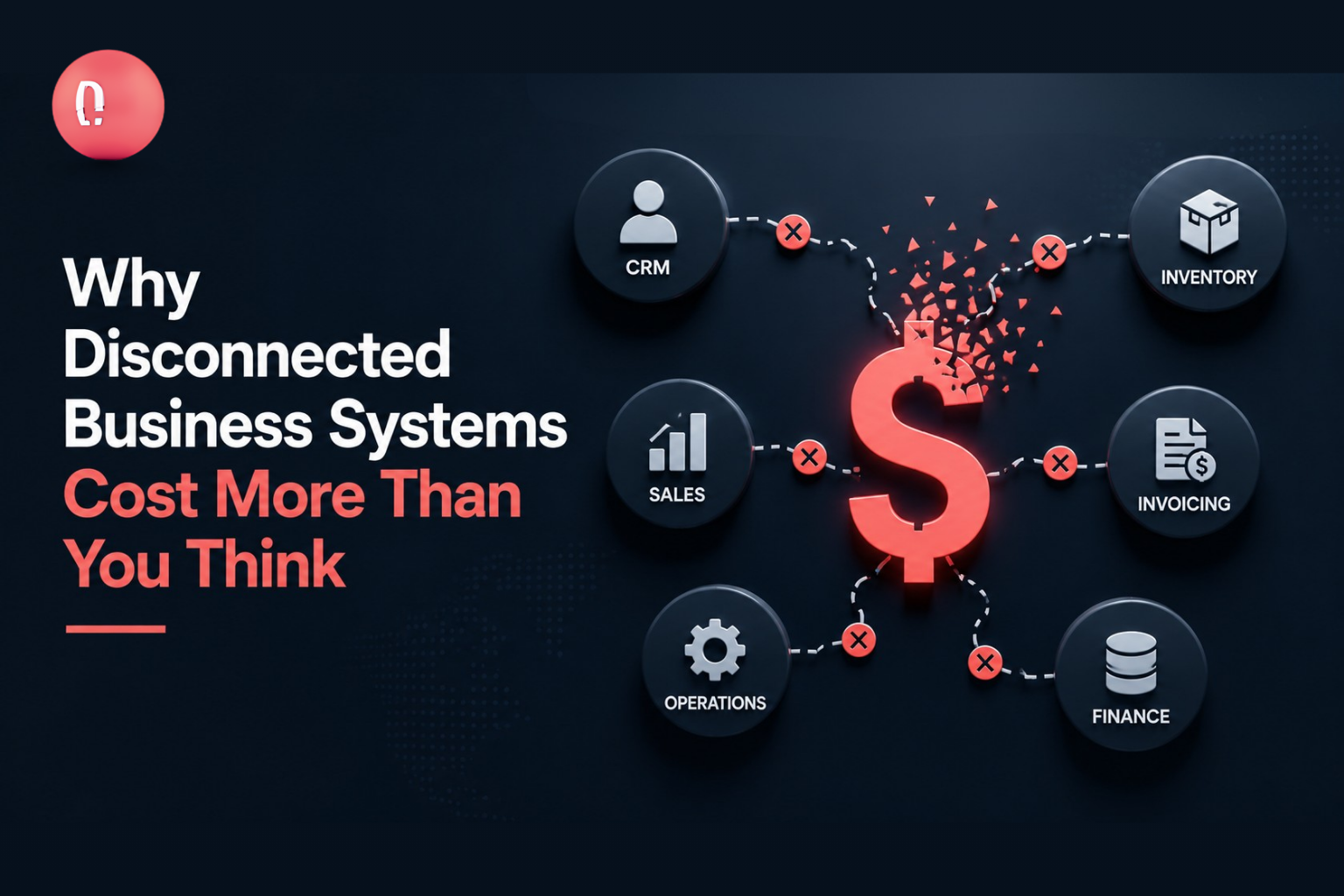
Modern businesses rely on multiple digital platforms to manage customers, sales, finance, employees, inventory, communication, and reporting. A company may use one platform for customer relationship management, another for accounting, and separate applications for inventory, marketing, customer support, and internal collaboration. Each system may perform its individual function well. However, problems begin when these systems cannot communicate with each other. Employees must then copy information between applications, update the same records several times, export spreadsheets, and manually verify data across different departments. These disconnected processes increase operational costs, create errors, delay decision-making, and reduce employee productivity. Professional Software Solutions can help businesses connect applications, automate workflows, and create a more coordinated digital environment. What Are Disconnected Business Systems? Disconnected business systems are applications, databases, or platforms that operate independently, even when they support related business processes. For example, a sales employee may add customer information to a CRM, but the finance department may still need to enter the same information into an accounting system. Similarly, an order placed through an e-commerce website may not automatically update inventory. An employee must review the transaction and manually adjust stock levels. This problem often develops gradually. Different departments purchase software based on their own immediate requirements without considering how those applications will connect with the rest of the organization. Over time, the business ends up with several useful platforms that do not form one coordinated technology environment. Common Signs Your Business Systems Are Disconnected Your organization may need API integration services when: These problems are not always caused by poor software. They are often caused by weak connections between otherwise useful systems. The Hidden Cost of Disconnected Software The cost of disconnected systems goes beyond software subscriptions. It affects productivity, reporting, customer service, security, and the organization’s ability to grow. Repetitive Manual Work When systems cannot exchange information, employees become responsible for moving data manually. A customer record may need to be entered into a CRM, finance platform, support system, and reporting spreadsheet. Every additional entry takes time that employees could spend on customer service, sales, planning, or other valuable activities. A professional IT Consultancy assessment can help identify repetitive workflows, technical limitations, and opportunities for automation. Data Entry Errors Manual data transfer increases the possibility of incorrect names, duplicated records, missing orders, inaccurate prices, and outdated customer information. Even a small mistake can affect invoicing, deliveries, stock management, reporting, or customer communication. When platforms are connected, approved information can move automatically between systems, reducing the need for repeated data entry. Delayed Business Decisions Business leaders need accurate and current information. When data is spread across different platforms, teams must collect, compare, and combine it before creating reports. By the time the report is completed, the information may already be outdated. Connected systems can provide leadership teams with more timely information about sales, expenses, customers, operations, and performance. Poor Customer Experience Disconnected platforms can make customers repeat information or wait longer for updates. A customer may place an order but receive no delivery update because the sales and logistics systems are not connected. Similarly, a support representative may not be able to view the customer’s purchase history without contacting another department. System integration helps customer-facing teams access relevant information more quickly. Limited Scalability Manual processes may work when a company has a small number of customers or transactions. As the business grows, the same processes become difficult to manage. More employees are required simply to transfer data and maintain records. Instead of supporting growth, the technology environment begins to slow the business down. What Are API Integration Services? An application programming interface, commonly called an API, allows different software systems to exchange information and perform approved actions. API integration services involve designing, developing, securing, testing, and maintaining these connections. For example, an API integration can automatically send customer information from a website to a CRM. The CRM can then share approved order information with an accounting system, while the inventory platform updates available stock. This process happens without employees entering the same information repeatedly. Which Business Systems Can Be Integrated? API integrations can connect many different types of platforms, including: Businesses increasingly depend on online platforms, making properly managed Cloud Services an important part of scalable application integration. The objective is not to connect every available application. The goal is to connect the systems where shared data and automation can create measurable operational value. How System Integration Improves Business Operations A Consistent Source of Information Integration reduces the number of separate records maintained by different departments. When customer, inventory, sales, or financial information is updated in one approved system, the relevant change can be shared with other connected platforms. This creates more consistent and reliable data across the business. Faster Workflows Connected systems can automatically trigger the next stage of a process. For example: Without integration, employees may need to complete several of these steps manually. Improved Reporting Integration allows information from sales, finance, customer support, inventory, and marketing platforms to be combined more efficiently. Leadership teams can access centralized dashboards rather than requesting separate reports from each department. This provides a clearer view of overall business performance. Better Customer Service Connected systems allow customer service representatives to access purchase history, payment status, delivery updates, previous communication, and support requests from one place. This enables faster and more accurate responses. Stronger Security Controls Integrating systems can also improve visibility into how sensitive information moves through the organization. However, APIs must be protected through authentication, encryption, permission management, input validation, monitoring, and secure credential storage. Professional Cyber Security services can help businesses protect APIs, application access, user identities, and sensitive information. API Integration Versus Custom Software Development Not every business problem requires a completely new platform. In many cases, existing applications already provide the required functions. They simply need to exchange information more effectively. API integration may be suitable when: Custom software may be more suitable when: A combination of custom software development and API integration often provides the most practical solution. How
Technology is now part of every business function. Teams use digital tools to communicate, manage customers, process payments, store files, run reports, protect data, and deliver services. When technology works well, employees stay productive and customers receive better service. When it fails, the entire business slows down. For many companies, IT problems are handled only when something breaks. A system goes down, an employee cannot access a tool, a device stops working, or a security alert appears. The team then rushes to fix the issue. This reactive approach may work for very small setups, but it becomes risky as the business grows. Managed IT services give businesses a better way to run technology. Instead of waiting for problems, managed services focus on monitoring, maintenance, support, security, and continuous improvement. The goal is simple: keep systems stable, secure, and ready for business growth. For growing companies, managed IT services are not just a technical convenience. They are a business strategy. They help reduce downtime, improve cybersecurity, control costs, support employees, and give leadership more confidence in daily operations. What Are Managed IT Services? Managed IT services involve outsourcing the management and support of business technology to a specialist provider. These services can include helpdesk support, network monitoring, cybersecurity management, cloud support, backup management, patching, endpoint protection, server maintenance, user access management, and IT reporting. Instead of hiring separate experts for every technical area, businesses can work with a managed service provider that acts as an extension of their internal team. This gives the organization access to skilled support without the cost and complexity of building a large in-house IT department. Managed services can support small businesses, mid-sized companies, and enterprise environments. The service model can be adjusted based on the size, risk level, industry, and technology needs of the organization. Why Reactive IT Support Creates Problems Reactive support means waiting until something goes wrong before taking action. This can create repeated interruptions and hidden costs. For example, if software updates are delayed, systems may become vulnerable. If backups are not monitored, the business may not discover a failure until recovery is needed. If devices are not managed properly, employees may face slow performance and security gaps. If network issues are not detected early, the business may suffer downtime during critical hours. Reactive IT also puts pressure on internal teams. Employees may spend time reporting issues, waiting for fixes, and finding temporary workarounds. Managers may lose visibility into recurring problems because the focus stays on quick fixes instead of root causes. Managed IT services shift the approach from reaction to prevention. The Proactive Advantage Proactive IT support means systems are continuously monitored and maintained. Problems are identified early. Updates are managed properly. Security risks are reviewed before they become serious. Support requests are tracked and resolved with structure. This approach helps businesses stay ahead of issues. It also creates a more stable work environment for employees. A proactive managed service model usually includes regular health checks, performance monitoring, security alerts, vulnerability management, software patching, backup verification, access reviews, and reporting. The result is fewer surprises, faster response, and better control over technology. Key Benefits of Managed IT Services 1. Reduced Downtime Downtime affects productivity, customer experience, and revenue. Even a short outage can delay work, stop communication, or interrupt service delivery. Managed IT services help reduce downtime through monitoring, maintenance, redundancy planning, and faster response. When systems are being watched continuously, warning signs can be detected before they turn into major problems. For example, storage capacity issues, server performance problems, network instability, and backup failures can often be identified early. This gives the team time to act before users are affected. 2. Stronger Cybersecurity Cybersecurity threats are growing more advanced. Businesses face phishing, malware, ransomware, credential theft, insider mistakes, cloud misconfigurations, and device-level risks. Managed IT services improve cybersecurity by adding structured protection across users, devices, networks, and cloud environments. This may include endpoint security, firewall monitoring, identity access control, vulnerability scanning, patch management, threat detection, incident response, and security awareness support. A managed service provider can also help businesses identify weak points and prioritize improvements. This is especially useful for companies that do not have a dedicated cybersecurity team. 3. Better Support for Employees Employees need technology to do their jobs. When they face repeated technical issues, productivity drops and frustration increases. Managed IT services provide structured support for everyday problems such as login issues, software errors, device troubleshooting, email problems, connectivity issues, and access requests. A good support process improves employee experience. Instead of depending on informal help or delayed responses, employees get clearer communication and faster resolution. This helps teams stay focused on their real work. 4. Predictable IT Costs Technology costs can become unpredictable when businesses operate without proper planning. Emergency fixes, unexpected hardware failure, security incidents, and urgent consultant fees can create financial pressure. Managed IT services provide a more predictable cost model. Businesses can plan monthly or yearly support costs and reduce the chances of expensive emergency work. This does not mean every cost disappears. But it does mean technology spending becomes more controlled and better aligned with business priorities. 5. Access to Skilled Experts Modern IT requires many skills. A business may need knowledge of cloud platforms, cybersecurity, networking, servers, endpoint devices, compliance, backup systems, and business applications. Hiring experts for all these areas can be difficult and costly. Managed IT services give businesses access to a wider technical skill set without needing to hire every role internally. This is valuable for growing companies that need expert support but also need to control overhead. 6. Improved Compliance Readiness Many businesses need to follow industry standards, customer requirements, or internal audit controls. Even if the company is not heavily regulated, basic IT documentation, security policies, access control, and backup processes are important. Managed IT services help improve compliance readiness by maintaining records, monitoring systems, applying security controls, and supporting audits. This can include access logs, patch records, incident reports, asset inventories, backup reports, and security
Modern businesses depend on technology every hour of the day. Customer platforms, internal systems, cloud applications, databases, communication tools, cybersecurity systems, and reporting dashboards all need a reliable infrastructure foundation. When this foundation is weak, the whole business feels the impact. Applications slow down, employees face repeated disruptions, data becomes harder to protect, and growth becomes more expensive than it should be. This is why data center readiness has become an important discussion for enterprises, SMEs, and growing digital businesses. A data center is no longer just a technical facility where servers are placed. It is the operational backbone of the organization. It supports business continuity, data security, application performance, compliance, customer experience, and future expansion. Many businesses invest in new software, cloud platforms, AI tools, and digital systems without first checking whether their infrastructure can support them. This creates hidden risk. A company may appear digitally advanced on the surface, but behind the scenes, its infrastructure may be struggling with limited capacity, poor cooling, weak power planning, outdated networking, poor redundancy, or unclear disaster recovery processes. Data center readiness helps businesses avoid these problems. It gives leadership and IT teams a clear understanding of whether the current environment is stable, scalable, secure, and ready for the next stage of growth. What Does Data Center Readiness Mean? Data center readiness means evaluating whether your infrastructure can support current and future business needs. It is not only about checking servers or storage. It includes power, cooling, cabling, network design, physical security, fire protection, access control, monitoring, backup, disaster recovery, compliance, documentation, and operational management. A ready data center should be able to answer important questions: Can the business operate smoothly if demand increases?Can systems remain available during hardware failure?Is sensitive data protected from unauthorized access?Can the infrastructure support hybrid cloud or multi-cloud systems?Are backup and recovery processes tested?Can the business meet compliance and audit requirements?Is there enough capacity for future applications and users? If the answer to these questions is unclear, the business may be carrying infrastructure risk without realizing it. Why Data Center Readiness Matters for Business Growth Growth puts pressure on infrastructure. As a business expands, it adds more users, applications, devices, data, locations, and security requirements. A setup that worked for 50 employees may not work for 500. A server room that supported basic operations may not support advanced analytics, cloud integration, customer portals, or high-availability systems. Without proper readiness planning, growth can create operational problems. Systems may become slow during peak hours. Storage may run out faster than expected. Backup processes may fail when needed. Security controls may become harder to manage. IT teams may spend more time fixing problems than enabling innovation. Data center readiness prevents growth from becoming chaotic. It helps businesses scale with control. Instead of reacting to issues after they appear, the organization can plan capacity, improve resilience, and align infrastructure with business goals. Key Areas of Data Center Readiness A strong data center readiness assessment should cover several important areas. 1. Power and Electrical Capacity Power is one of the most important parts of any data center. Servers, storage systems, network devices, firewalls, cooling systems, monitoring equipment, and backup systems all depend on stable power. Businesses must check whether their current power setup can support future growth. This includes power distribution, UPS capacity, backup generators, electrical safety, redundancy, and maintenance planning. If power planning is weak, even a small failure can stop critical systems. Strong electrical design helps reduce downtime and supports long-term reliability. 2. Cooling and Environmental Control Technology equipment generates heat. If cooling is not properly designed, equipment may overheat, perform poorly, or fail early. Cooling is especially important as businesses add more servers, storage, and high-density equipment. A readiness assessment should review airflow, temperature control, humidity control, cooling capacity, rack layout, and environmental monitoring. Poor airflow can waste energy and create hot spots inside racks. Good cooling design improves performance, reduces equipment stress, and helps control operational costs. 3. Network Architecture The data center network connects systems, users, applications, security tools, cloud platforms, and business locations. A weak network design can create slow performance, bottlenecks, security gaps, and poor visibility. A ready data center should have a structured network architecture with proper segmentation, redundancy, firewall placement, routing, switching, monitoring, and secure access controls. As businesses adopt cloud, remote work, SaaS platforms, and digital services, the network becomes even more important. It must be fast, secure, and scalable. 4. Redundancy and High Availability Downtime can damage productivity, customer trust, and revenue. That is why redundancy is a key part of data center readiness. Redundancy means critical systems have backup components. If one system fails, another can take over. This may include redundant power, network paths, internet connections, storage systems, firewalls, and backup servers. High availability does not happen by accident. It must be designed into the infrastructure from the beginning. A readiness review helps identify single points of failure before they become business problems. 5. Security and Access Control Data centers hold critical business assets. Physical security and digital security both matter. Physical security includes controlled access, visitor logs, surveillance, locked racks, fire detection, and environmental monitoring. Digital security includes identity access management, network segmentation, firewalls, monitoring, encryption, logging, and threat detection. Businesses should also review who has access to infrastructure and whether that access is still required. Over time, old permissions can create security gaps. A secure data center protects business systems from both external attacks and internal mistakes. 6. Backup and Disaster Recovery Backups are only useful if they work when needed. Many businesses have backup tools but do not regularly test recovery. This creates false confidence. A data center readiness assessment should check backup frequency, storage location, recovery time, recovery point objectives, restoration testing, and disaster recovery documentation. The goal is not only to save data. The goal is to restore business operations quickly after failure, cyberattack, accidental deletion, or system outage. 7. Compliance and Documentation Industries such as healthcare, banking, education, government, telecom, and energy